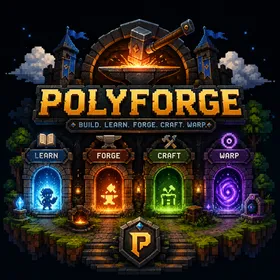
Build. Learn. Forge. Craft. Warp.
One clone.
Every language.
PolyForge is a portable, polyglot development workspace driven entirely by mise. Clone it, run one command, and every toolchain you need is a single explicit install away — behind three commands that work identically on Windows, macOS, Linux and WSL.
Note: the repository is currently private — clone commands work once it is published.
The four portals
Three commands, one workspace
polyforge, learn and forge are registered together and share one registry — but each owns a different corner of the workspace.
- LEARN
A curriculum, not a scratch folder
Tiered tracks per language — setup, basics, data structures, intermediate, advanced — plus a gap-filling daily playground that always knows which day comes next.
$ learn go loops - FORGE
Your own template library
Every template is its own private GitHub repo, created and flagged as a template repository for you. Register once, pull it back on any machine.
$ forge new archon "archicad addons" - CRAFT
Toolchains on demand
Python, Go, Rust, Node, Java, Dart, Flutter, C++ — declared in modular TOML fragments, installed only when you ask. Nothing downloads behind your back.
$ polyforge create Python wall-extraction - WARP
Your work follows you
The tooling repo stays clean. Tracks, projects and templates live in their own repos and are restored on demand from a committed registry.
$ polyforge get all
Fresh machine
From bare metal to productive in four commands
Nothing about this flow is machine-specific. It is the same on a new laptop, a reinstalled OS, or a colleague's WSL box.
- 01
Clone
git clone … && cd polyforgeOne repository. It carries configuration and scaffolding only — never your code.
- 02
Activate
polyforge.ps1 activateInstalls mise if missing, runs the trust handshake once per machine, and registers all three commands into your shell profile.
- 03
Install
polyforge installThe entire declared toolchain, in one explicit step. Run `polyforge status` first if you want to see it before it lands.
- 04
Warp
polyforge get all && learn get allEvery registered project and learning track clones back into place. You are where you left off.
Architecture
Toolchains that cascade
mise merges configuration two ways, and PolyForge uses both. Fragments in .config/mise/conf.d/ load alphabetically and walk up the directory tree, so a tool declared once is available everywhere. A deeper mise.toml inherits its parents' tasks and overrides only what it needs.
Adding a language is one file: drop 40-elixir.toml into conf.d/, run polyforge install, and every folder in the workspace has it.
polyforge/
├── .config/mise/conf.d/      ← merged, alphabetical
│   ├── 00-settings.toml       jobs, auto_install=false
│   ├── 10-core-tools.toml     python go rust node java
│   ├── 20-cli-tools.toml      eza bat rg fd jq delta
│   └── 30-package-managers.toml bun deno pnpm uv zig
├── mise.toml                  ← root: env, hooks, tasks
├── Workspace/
│   └── Go/mise.toml           ← inherits ↑, overrides here
├── Dev/Learn/                 gitignored · learn
└── Dev/Templates/             gitignored · forge
Design decisions
Opinionated, and willing to say why
Explicit installs
auto_install = false. Entering a folder never triggers a silent download. The moment tools arrive is a moment you chose.
Read more →conf.d over includes
mise 2026.6.x has no includes/import. PolyForge leans on what mise actually guarantees: alphabetical fragment merge plus directory-tree cascade.
Read more →Content lives elsewhere
Dev/Learn/ and Workspace/*/*/ are gitignored. A committed registry maps names to repos, so a fresh clone stays a few kilobytes.
Read more →Parity by construction
The PowerShell modules and the POSIX scripts are kept command-for-command identical. One muscle memory, every machine.
Read more →
Workspace areas
Six languages out of the box, any language in one file
- Pythonpython, uv
- Gogo
- Webnode, bun, deno, pnpm
- C++cmake, ninja, zig
- Dartdart, flutter
- Javajava
Stop rebuilding your machine.
Set it up once, describe it in TOML, and carry it with you. The next machine is one clone and one command away.